

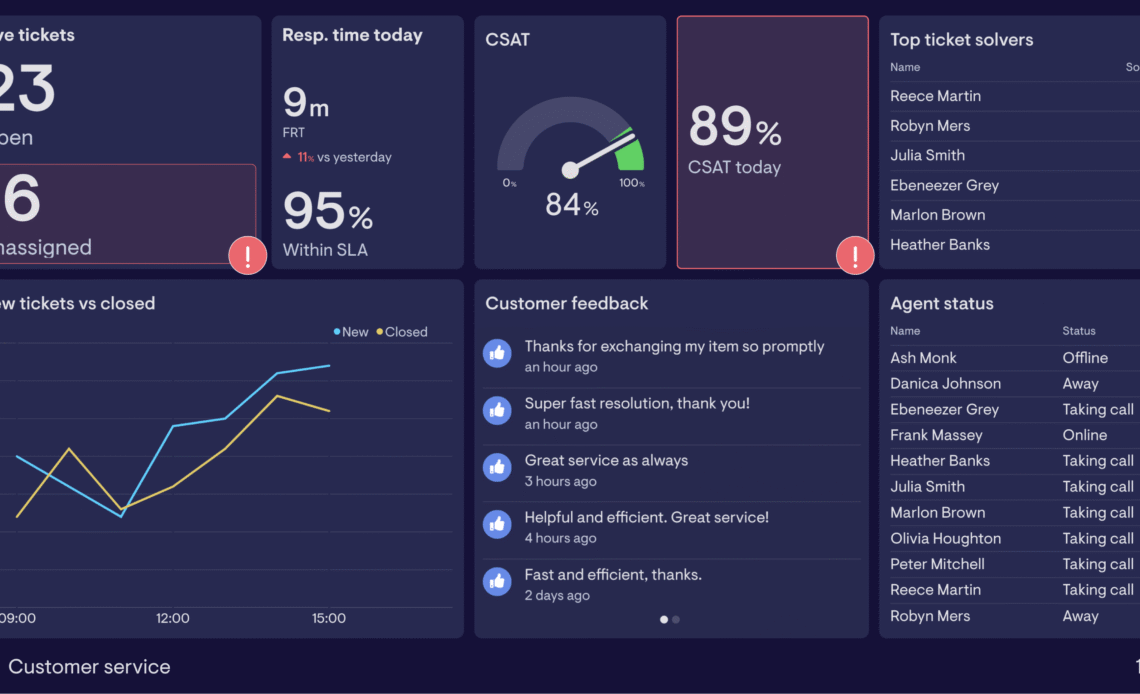
As businesses grow, customer expectations rise just as quickly. Faster response times, consistent service quality, and personalized interactions become harder to manage with manual processes alone. Digital tools play a critical role in scaling customer support operations by helping teams handle higher volumes without compromising customer experience or employee efficiency.
Why Scaling Customer Support Requires Technology
When support demand increases, relying on emails, spreadsheets, or fragmented systems leads to delays and missed issues. Digital tools centralize communication, automate routine tasks, and provide real-time visibility into customer needs. This allows support teams to respond faster while maintaining clarity and accountability across channels.
Helpdesk and Ticketing Platforms
A modern helpdesk system is often the foundation of scalable support.
Key advantages include:
-
Centralized ticket management across email, chat, and social platforms
-
Automatic ticket routing based on priority or expertise
-
Clear ownership and status tracking for every customer issue
-
Reduced risk of duplicate or forgotten requests
These platforms ensure no customer inquiry is overlooked, even as volume grows.
Live Chat and AI Chatbots
Live chat tools shorten response times and meet customers where they are—on websites or apps. When combined with AI chatbots, they become even more effective.
How chat tools support scaling:
-
Chatbots handle repetitive questions 24/7
-
Live agents focus on complex or sensitive cases
-
Smart escalation ensures smooth handoff from bot to human
-
Reduced wait times during peak demand
This balance improves efficiency while keeping human support available where it matters most.
Knowledge Bases and Self-Service Portals
Many customers prefer solving problems on their own. A well-structured knowledge base reduces ticket volume and empowers users.
Effective self-service tools provide:
-
Searchable FAQs and how-to articles
-
Product guides and troubleshooting steps
-
Regular updates based on common support trends
-
Analytics on content usage and gaps
Self-service options scale effortlessly, serving thousands of users without increasing staff workload.
Customer Relationship Management (CRM) Systems
CRMs give support teams full context for every interaction. Instead of treating each ticket as isolated, agents see the complete customer history.
CRM benefits include:
-
Unified view of past conversations and purchases
-
Better personalization during support interactions
-
Faster resolution due to contextual insights
-
Stronger collaboration between sales, support, and marketing
Context-driven support builds trust and improves long-term customer retention.
Automation and Workflow Tools
Automation removes repetitive manual work that slows teams down.
Common automation use cases:
-
Auto-assigning tickets based on rules
-
Sending follow-up or resolution emails
-
Triggering alerts for unresolved or overdue issues
-
Collecting feedback after ticket closure
These workflows keep operations consistent, even as team size and ticket volume increase.
Analytics and Performance Monitoring Tools
Scaling support without measurement leads to inefficiencies. Analytics tools reveal what is working and what needs adjustment.
Key metrics tracked include:
-
Average response and resolution times
-
Ticket backlog and volume trends
-
Agent workload and productivity
-
Customer satisfaction scores
Data-driven insights help leaders make informed decisions about staffing, training, and process improvements.
Cloud-Based Collaboration Tools
Remote and distributed teams are now common. Cloud collaboration tools keep support teams aligned regardless of location.
They enable:
-
Shared internal notes on tickets
-
Real-time communication between agents and supervisors
-
Easy onboarding of new team members
-
Secure access to support systems from anywhere
This flexibility supports growth without geographic limitations.
Security and Compliance Considerations
As support systems scale, they handle more sensitive customer data. Digital tools with built-in security features protect both customers and the business.
Important safeguards include:
-
Role-based access controls
-
Encrypted communication channels
-
Audit logs for accountability
-
Compliance with data protection standards
Strong security ensures growth does not introduce unnecessary risk.
FAQ
1. What is the first digital tool a growing support team should adopt?
A centralized helpdesk or ticketing system is usually the best starting point, as it brings structure and visibility to all customer interactions.
2. Can small teams benefit from customer support automation?
Yes. Automation helps small teams handle higher workloads efficiently without increasing headcount too quickly.
3. How do chatbots affect customer satisfaction?
When used properly, chatbots improve satisfaction by providing instant answers, while complex issues are still handled by human agents.
4. Is self-service suitable for all types of customers?
While not everyone prefers self-service, many customers appreciate quick access to clear, well-organized information.
5. How often should support analytics be reviewed?
Regular reviews, such as weekly or monthly, help teams identify trends early and adjust processes proactively.
6. What role does CRM play in customer support scaling?
CRM systems provide context and continuity, enabling faster resolutions and more personalized support as customer volume increases.
7. How can digital tools help prevent agent burnout?
By automating repetitive tasks and improving workflows, digital tools reduce stress and allow agents to focus on meaningful interactions.